LAMP Server Setup and Configuration
Process
Linux and Ubuntu server setupFor the purposes of this assignment, Ubuntu 24.04.3 live server, hosted on an Oracle VirtualBox virtual machine, acted as the server environment for developing the LAMP stack. The host machine of the VM server instance was a Windows 11 PC. Further specifications of the VM instance included: base memory set at 4096 MB, video memory set at 16MB, CPUs set to 2, virtual monitors set to 1, and network set to Bridged Adapter (discussed below).
The most significant setback for setting up the server environment was coincidental, but instructive. When installing the Ubuntu server on the VM, the installation would stall and eventually fail on these steps:
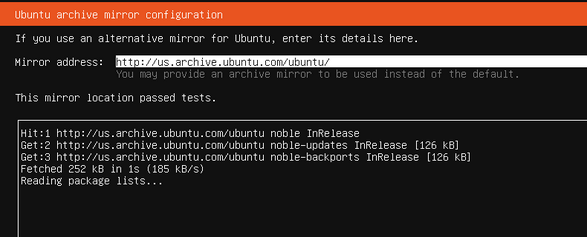
Further testing and observation indicated that it was not an issue with the host machine, local connectivity, or the Ubuntu server download. Rather, https://us.archive.ubuntu.com/ubuntu/ and https://archive.ubuntu.com/ were experiencing an outage, and would not communicate with the host and VM to complete the installation properly. It took several resources to come to this conclusion, and a day of waiting and trying again to solve it. https://status.canonical.com/ was a useful resource for confirming suspicions about where and why the process was failing. Troubleshooting threads on discourse.ubuntu.com were also instrumental in diagnosing the problem (e.g., paddylandau, 2025). This process was instructive on the importance of asking the right questions to diagnose a problem, and the fact that, sometimes, we must work around hiccups that are out of our immediate control.
With the server installed and properly configured, a user group was put into place to control read-write-execute permissions for web development purposes. Such controls would prevent overreach while making sure that users working on web development have the access and permissions they need. At this point, the Webmin GUI was installed on the server for clearer user administration and permissions control through the host machine’s browser.

Network setup and Apache
Integration of Apache into the LAMP server was largely out-of-the-box, using basic configuration. Having a webdev user group prepared streamlined user permissions in this case. At this point, WinSCP was used for file transfers from the host machine to the VM.

Database management and MySQL
After installing MySQL on the server, most tasks, including creating databases, navigating tables, and creating queries, were done with either the server CLI or phpMyAdmin. Because of its ease of use and visual clarity, phpMyAdmin was the method for most data entry and database management. However, writing and testing specific queries were often done directly in the CLI through PuTTY. The database used in the final product was the images database, which contained information on photographs, photographers, collections, and locations depicted in photographs in the collection. The structure of this database is simple and based on the instructions from week 11.
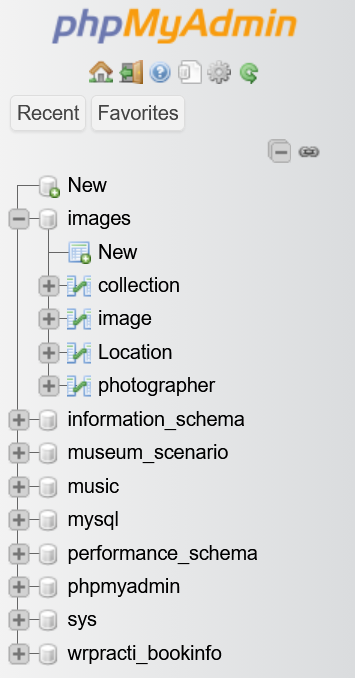
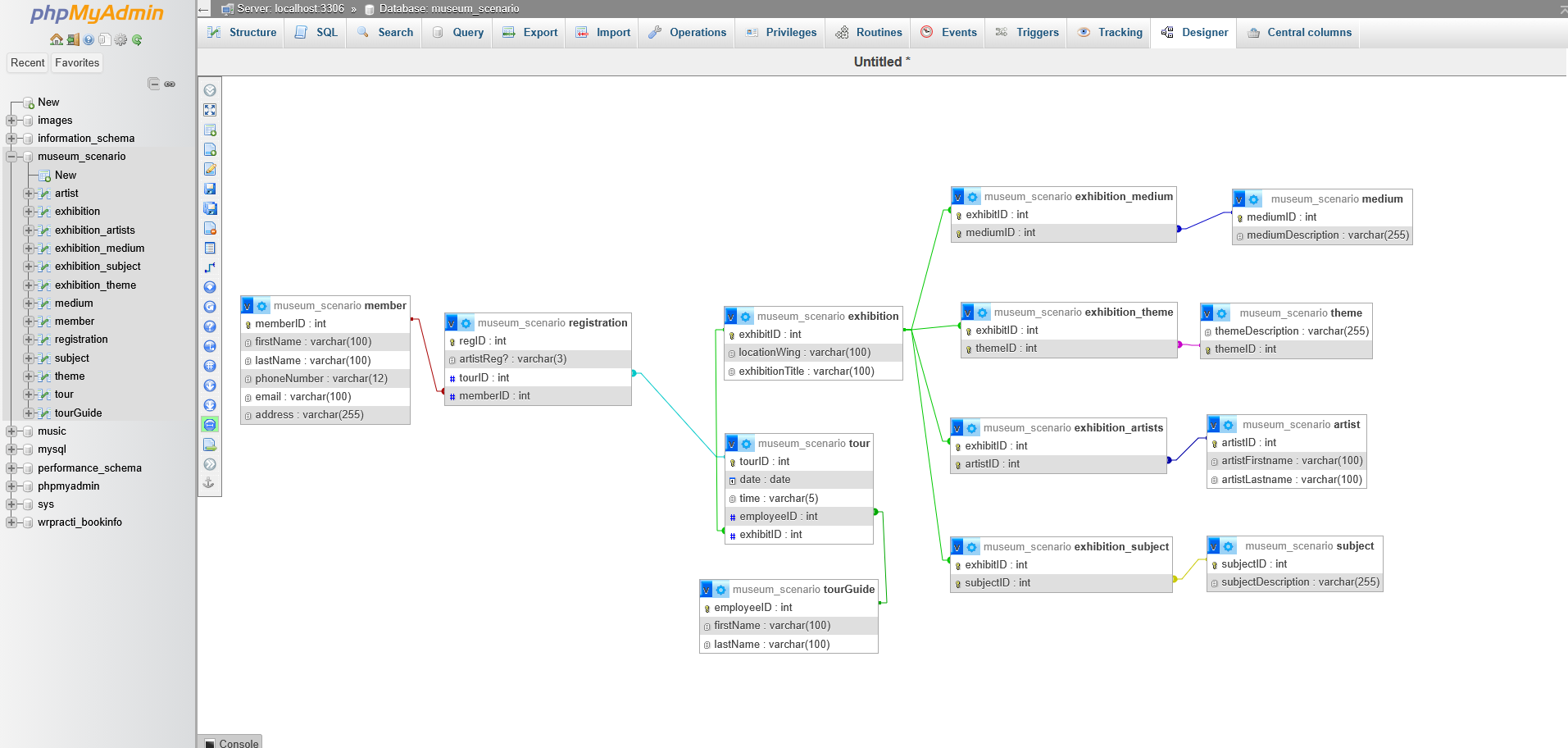
ERDplus was also used to design and create logical connections for a different database than the one featured in the final project. This secondary database (museum_scenario) describes and collects information about a museum, exhibition events, exhibition tours, and museum members. The database’s final keys and relationships are structured like so, as depicted in the phpMyAdmin GUI:
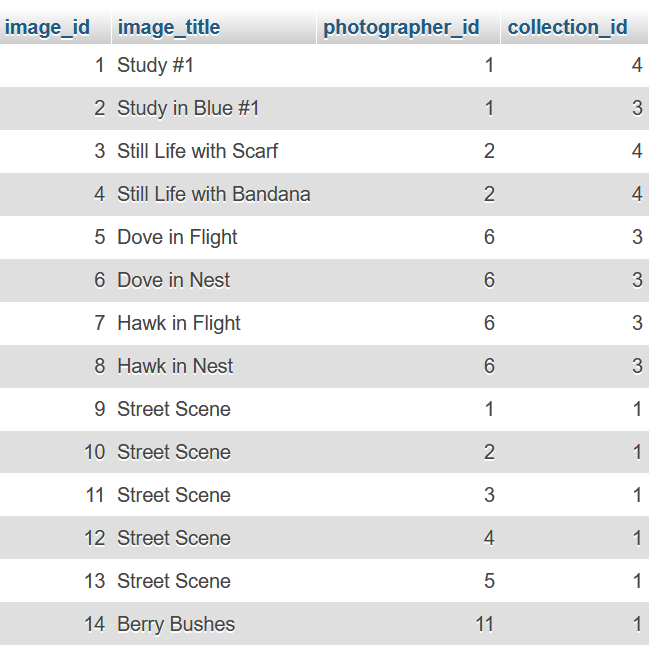
The tables of interest for the completed project (from the images database) are titled image and photographer. The database’s tables are structured like so and are populated with arbitrary data:
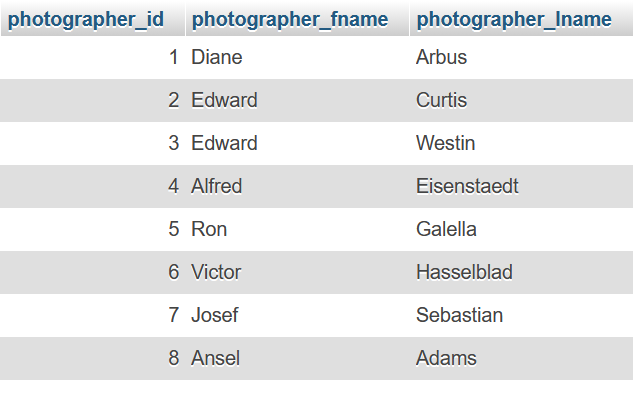
Establishing a MySQL database and structuring queries required very little troubleshooting, but W3Schools, Reddit, and stackoverflow were crucial for learning SQL basics and for working with more complex query syntax. Generally, applied practice would be essential to improving skills in SQL/MySQL and database design, permitting more efficient, complex database organization and query applications. At this point, the PuTTY terminal emulator was also the CLI environment of choice for its improved accessibility over the Ubuntu server CLI alone (e.g., copy/paste and scrolling functions).
PHP and display
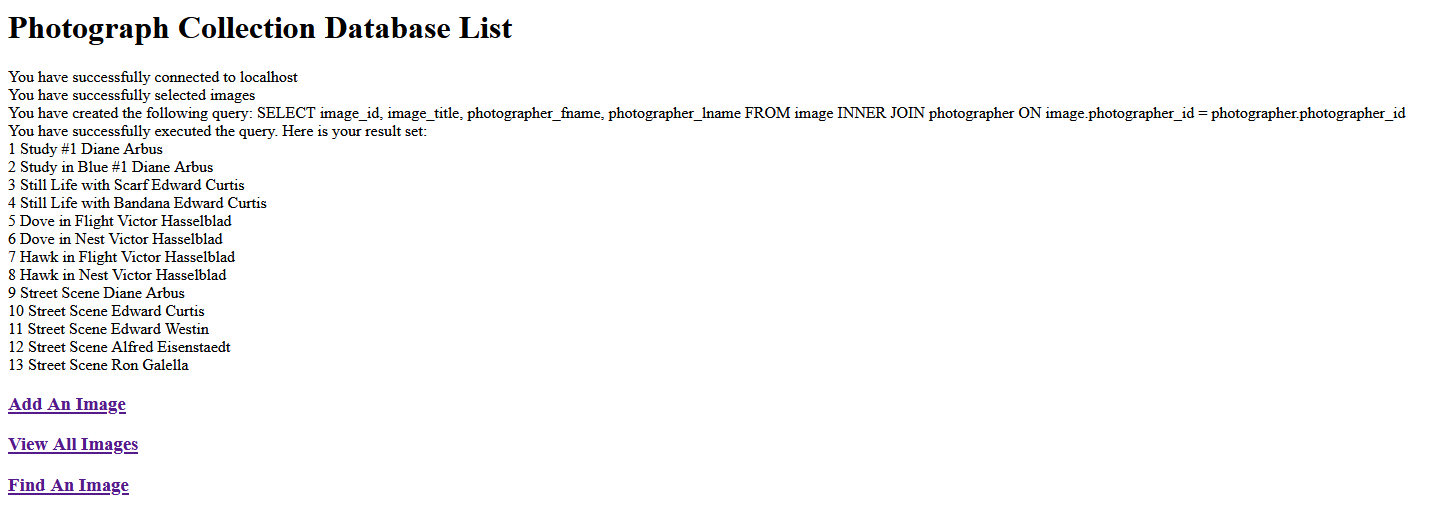
With databases established and populated in MySQL, PHP could be used to call and display data from the server to a web browser on the host machine. A join query was chosen to display data from the image and photographer tables together on the site:
SELECT image_id, image_title, photographer_fname, photographer_lname
FROM image
INNER JOIN photographer ON image.photographer_id = photographer.photographer_id
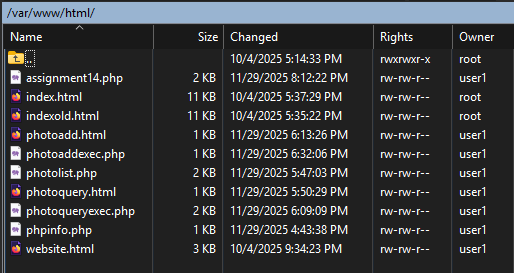
Simplistic HTML was used to format the query responses through PHP. For a transparent view of all HTML and PHP documents for the website once all assignments were complete, the /var/www/html/ directory appeared as follows (view captured in WinSCP):
Results
The summary result of the LAMP server project is an Ubuntu server (hosted on a virtual machine) that enables web browser access to sites and databases managed within the server. As a demonstration, there is a functional page that requests and queries information from the image and photographer tables of the images database (at http://[ip addr]/assignment14.php). Information like image ID, image title, and photographer first and last name is pulled and displayed for the user here.
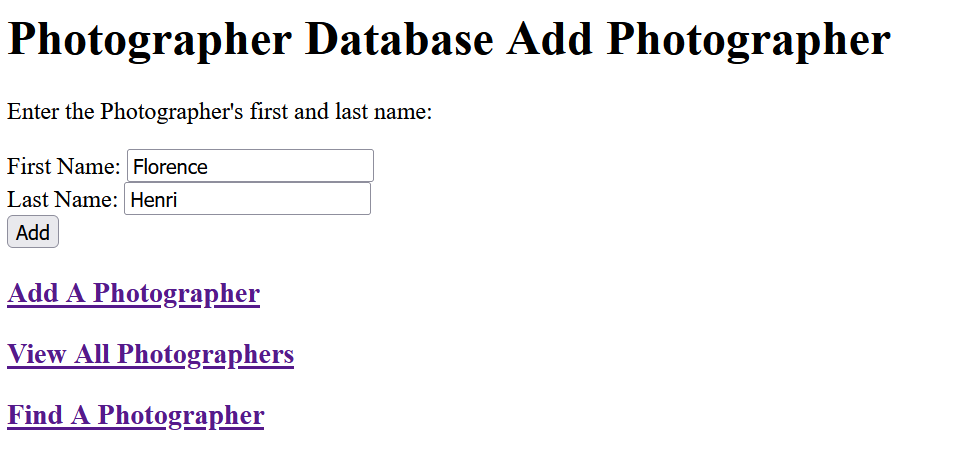
Other pages of interest (at http://[ip addr]/photoadd.html and http://[ip addr]/photoquery.html, shown below) allow users to add or find photographers in the database. These pages appear and function as demonstrated in week 14’s assignment.
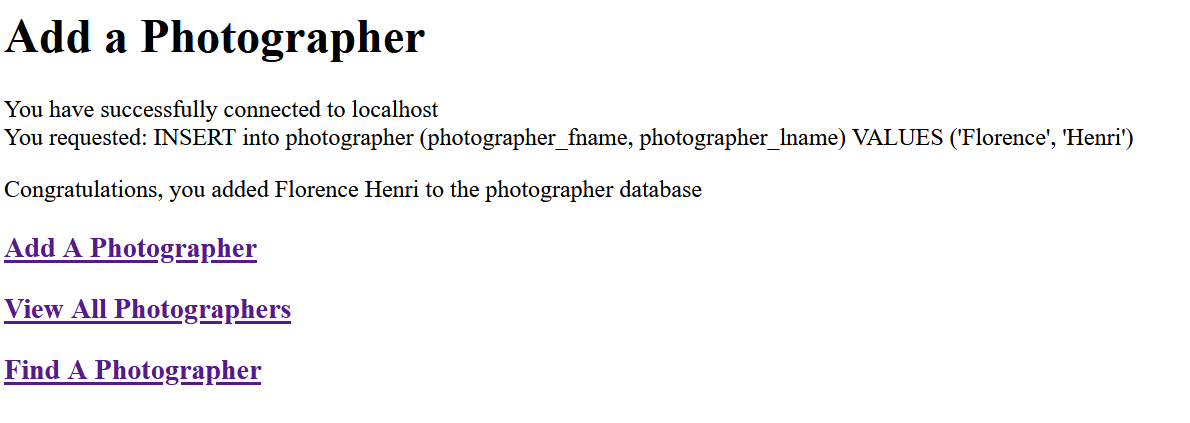
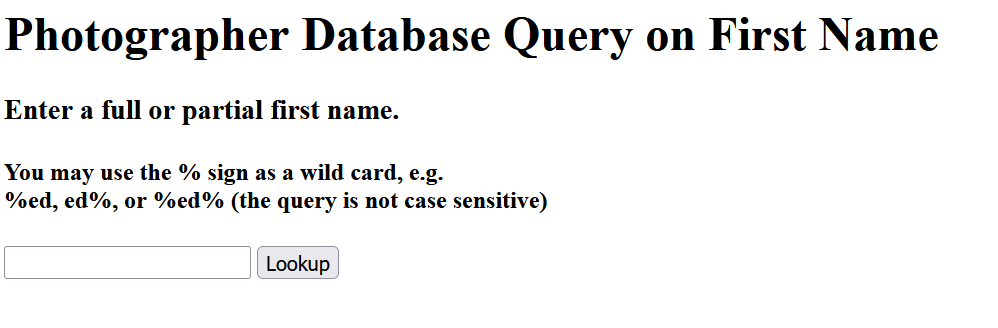
By this point, the LAMP stack was comprised of Ubuntu Linux as the server environment (hosted through the Oracle VirtualBox virtual machine), Apache for web server communication (i.e., through HTTP), MySQL to host and manage the database, and PHP to create scripts to query and display data to the web browser as requested. Working on the stack was also supported by Webmin GUI for server/permissions administration, WinSCP for file transfer, PuTTY for ease of use in the CLI environment, phpMyAdmin for GUI database management, and ERDplus for working on database organizational logic and query structure. Stackoverflow, discourse.ubuntu.com, W3Schools, and Reddit threads provided general support and troubleshooting throughout the process.
Areas for improvement
Targeted areas for improvement would be in security and in website display or formatting. The current LAMP configuration is weak in its security setup (e.g., weak, repetitive passwords at all levels). Any information published online through the server/database could not be assumed to be well-protected as-is. Additionally, current PHP and HTML/CSS (display) integration is rudimentary. The site is functional, and the database is queryable; however, website directories are works-in-progress, web content and display are comprised of simple HTML, and the URLs are currently fixed in an http:// and IP address format. Topics like encryption, SSL/TLS certificates, domain names, and cybersecurity fundamentals were beyond the scope of this course. A more comprehensive understanding of Apache, PHP, general web design, and general information security would be necessary for a well-formatted, accessible, and secure LAMP server and website.